> ## Documentation Index
> Fetch the complete documentation index at: https://docs.adoraone.com/llms.txt
> Use this file to discover all available pages before exploring further.
# Guest Pipeline
> Track first-time guests from visit through follow-up and membership pathway.
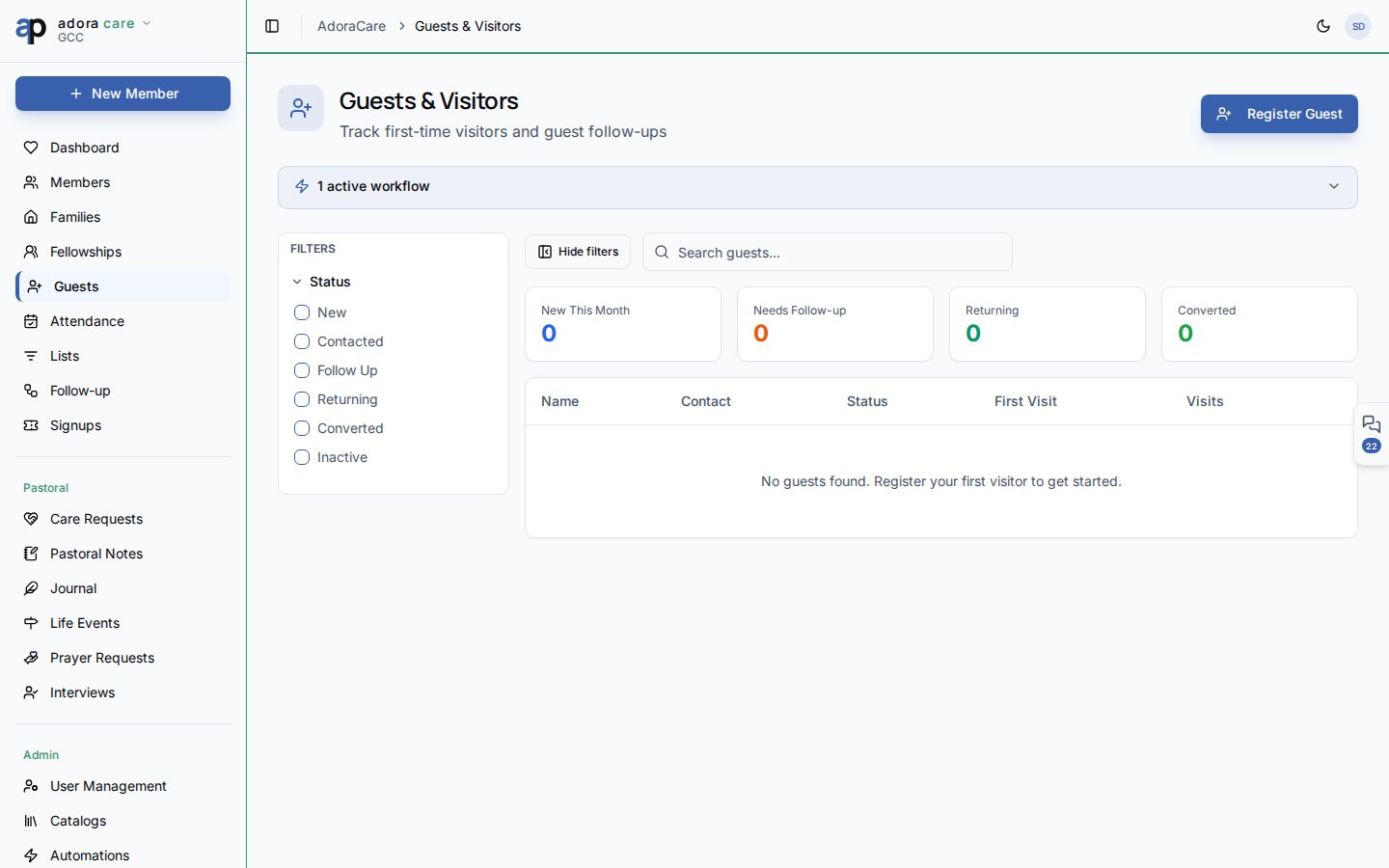
The **Guest Pipeline** helps hospitality teams capture visitors, move them through custom status stages, and convert them to **Members** when they are ready to connect.
 ## Quick Start
1. Open **Care → Guests**.
2. Click **Add Guest** after a service or event to log a visitor.
3. Filter by **Status** (stages defined in **Catalogs → Guest Statuses**).
4. Update status as follow-up calls and visits happen.
5. Use **Convert to Member** when someone joins the church family.
***
## How-to Guide
### Guest statuses
Statuses are tenant-configurable with optional emoji labels — for example:
* **New** — first visit logged
* **Contacted** — hospitality team reached out
* **Returning** — came back a second time
* **Ready** — prepared for membership class
The filter panel uses the same statuses so coordinators can run weekly stand-up lists.
### Guest record
| Field | Purpose |
| ------------------ | --------------------------------- |
| **Name & contact** | Email and phone for follow-up |
| **How they heard** | Attribution for outreach planning |
| **Notes** | Conversation details from hosts |
| **Status** | Current pipeline stage |
### Convert to member
When a guest commits, choose **Convert to Member** from the row menu. AdoraCare creates a **Member** record (or links an existing one) and preserves history for reporting.
Workflow triggers such as **guest registered** and **guest status changed** can auto-create tasks for follow-up teams.
***
## Related
Destination record after conversion.
Self-service guest sign-up via the portal link.
Place returning guests into small groups.
## Quick Start
1. Open **Care → Guests**.
2. Click **Add Guest** after a service or event to log a visitor.
3. Filter by **Status** (stages defined in **Catalogs → Guest Statuses**).
4. Update status as follow-up calls and visits happen.
5. Use **Convert to Member** when someone joins the church family.
***
## How-to Guide
### Guest statuses
Statuses are tenant-configurable with optional emoji labels — for example:
* **New** — first visit logged
* **Contacted** — hospitality team reached out
* **Returning** — came back a second time
* **Ready** — prepared for membership class
The filter panel uses the same statuses so coordinators can run weekly stand-up lists.
### Guest record
| Field | Purpose |
| ------------------ | --------------------------------- |
| **Name & contact** | Email and phone for follow-up |
| **How they heard** | Attribution for outreach planning |
| **Notes** | Conversation details from hosts |
| **Status** | Current pipeline stage |
### Convert to member
When a guest commits, choose **Convert to Member** from the row menu. AdoraCare creates a **Member** record (or links an existing one) and preserves history for reporting.
Workflow triggers such as **guest registered** and **guest status changed** can auto-create tasks for follow-up teams.
***
## Related
Destination record after conversion.
Self-service guest sign-up via the portal link.
Place returning guests into small groups.