> ## Documentation Index
> Fetch the complete documentation index at: https://docs.adoraone.com/llms.txt
> Use this file to discover all available pages before exploring further.
# Visitor Registration
> Public self-registration with email verification and admin approval before portal access.
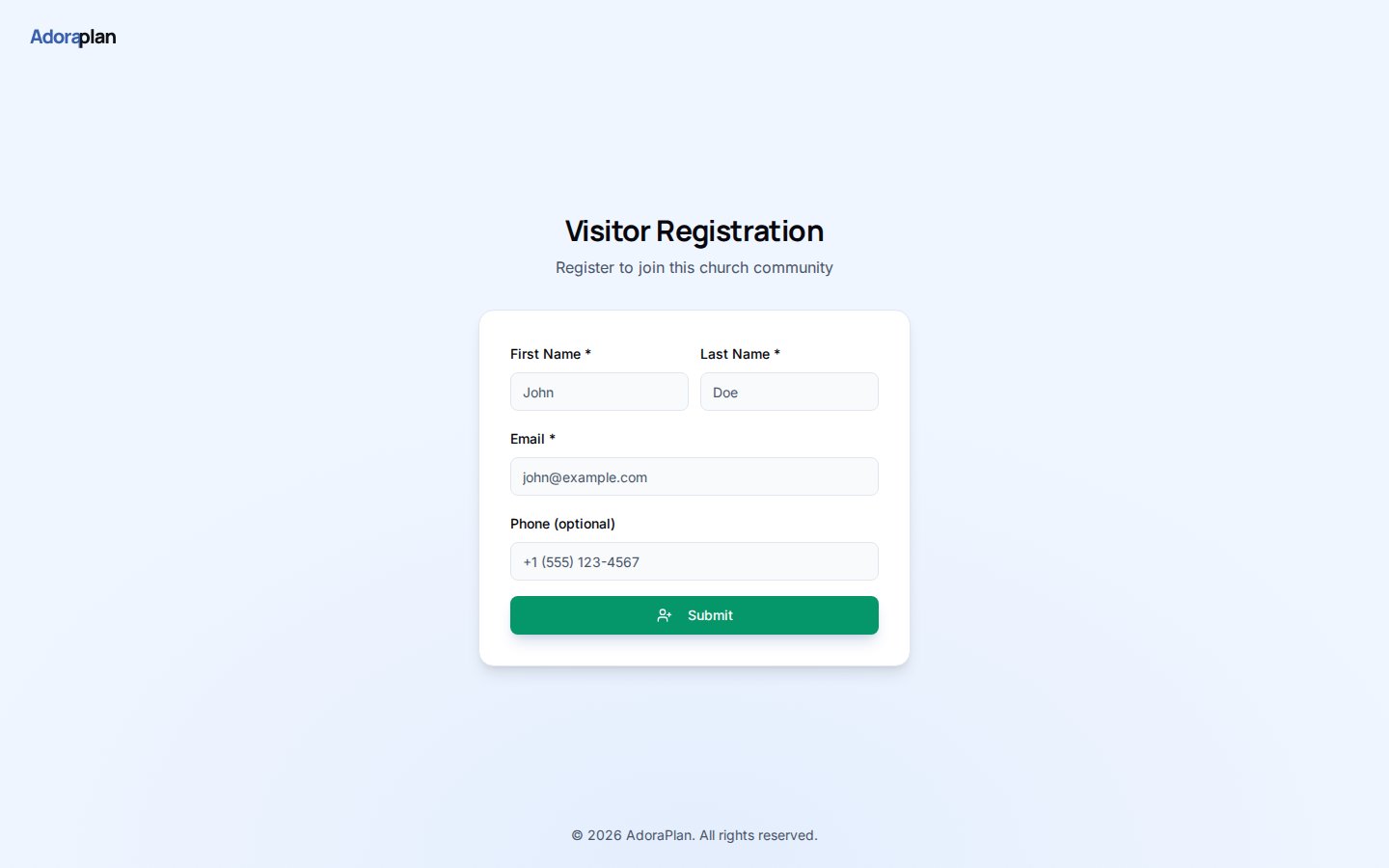
**Visitor Registration** is the public form guests use to introduce themselves — collect contact details, verify email with a one-time code, then wait for staff approval before receiving a portal token.
 ## Quick Start
1. Set your church **short name** (slug) on the church record — used in the URL.
2. Enable the portal under **Settings → Portal**.
3. Copy the **Registration URL** from the Portal settings card.
4. Share the link on welcome cards, slides, or your website.
5. Review pending registrations in **Care** (Portal Registration Review) and approve to create a member + token.
***
## How-to Guide
### Registration URL format
```
https://your-church.adoraplan.com/portal/register/{church-short-name}
```
Example: `/portal/register/mi-comunidad`
The slug must match the church **short name** configured in your organization settings.
### Three-step visitor flow
First name, last name, email (required), and optional phone.
A 6-digit code is emailed; visitors enter it on the OTP screen.
Status becomes **pending** until an admin approves in AdoraCare.
After approval, the system creates a **Member** record, issues a **portal token**, and emails a login link.
### Admin review
Staff with care access see pending rows in the portal registration review panel:
* **Approve** — creates member + 90-day token + welcome email
* **Reject** — closes the registration without portal access
Rate limiting protects the public form — repeated attempts from the same email are throttled per hour.
***
## Related
Track guests manually before or alongside self-registration.
What members see after approval.
Registration URL and directory privacy settings.
## Quick Start
1. Set your church **short name** (slug) on the church record — used in the URL.
2. Enable the portal under **Settings → Portal**.
3. Copy the **Registration URL** from the Portal settings card.
4. Share the link on welcome cards, slides, or your website.
5. Review pending registrations in **Care** (Portal Registration Review) and approve to create a member + token.
***
## How-to Guide
### Registration URL format
```
https://your-church.adoraplan.com/portal/register/{church-short-name}
```
Example: `/portal/register/mi-comunidad`
The slug must match the church **short name** configured in your organization settings.
### Three-step visitor flow
First name, last name, email (required), and optional phone.
A 6-digit code is emailed; visitors enter it on the OTP screen.
Status becomes **pending** until an admin approves in AdoraCare.
After approval, the system creates a **Member** record, issues a **portal token**, and emails a login link.
### Admin review
Staff with care access see pending rows in the portal registration review panel:
* **Approve** — creates member + 90-day token + welcome email
* **Reject** — closes the registration without portal access
Rate limiting protects the public form — repeated attempts from the same email are throttled per hour.
***
## Related
Track guests manually before or alongside self-registration.
What members see after approval.
Registration URL and directory privacy settings.