> ## Documentation Index
> Fetch the complete documentation index at: https://docs.adoraone.com/llms.txt
> Use this file to discover all available pages before exploring further.
# Adopted
> See hymns, service orders, playlists, and slide decks your church copied from the AdoraCommunity catalog.
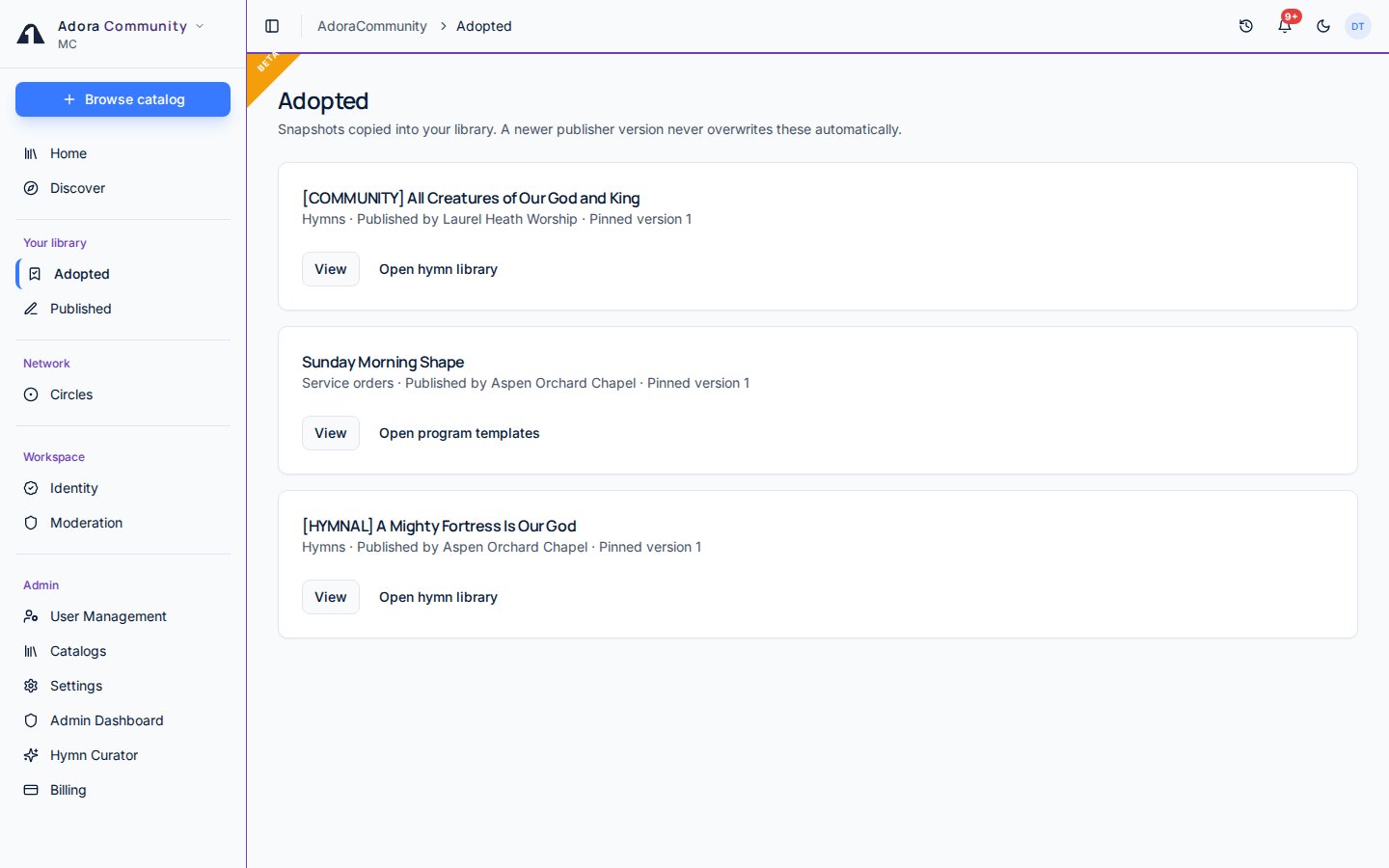
**Adopted** lists snapshots your church copied from **Discover**. Each row is a pinned copy in your own library. A newer publisher version shows **Update available** — it never overwrites what you already adopted.
 ## Quick Start
1. Adopt a listing from **Discover** after you tick the license acknowledgement.
2. Open **Community** → **Adopted**.
3. Open the matching library: hymns, program templates, playlists, or slide decks.
4. For a service order, **Open program templates** starts a new program on the **Templates** tab.
***
## How-to Guide
## Quick Start
1. Adopt a listing from **Discover** after you tick the license acknowledgement.
2. Open **Community** → **Adopted**.
3. Open the matching library: hymns, program templates, playlists, or slide decks.
4. For a service order, **Open program templates** starts a new program on the **Templates** tab.
***
## How-to Guide
 | # | Control | What it does |
| - | ----------- | ---------------------------------------------------------------------------------------- |
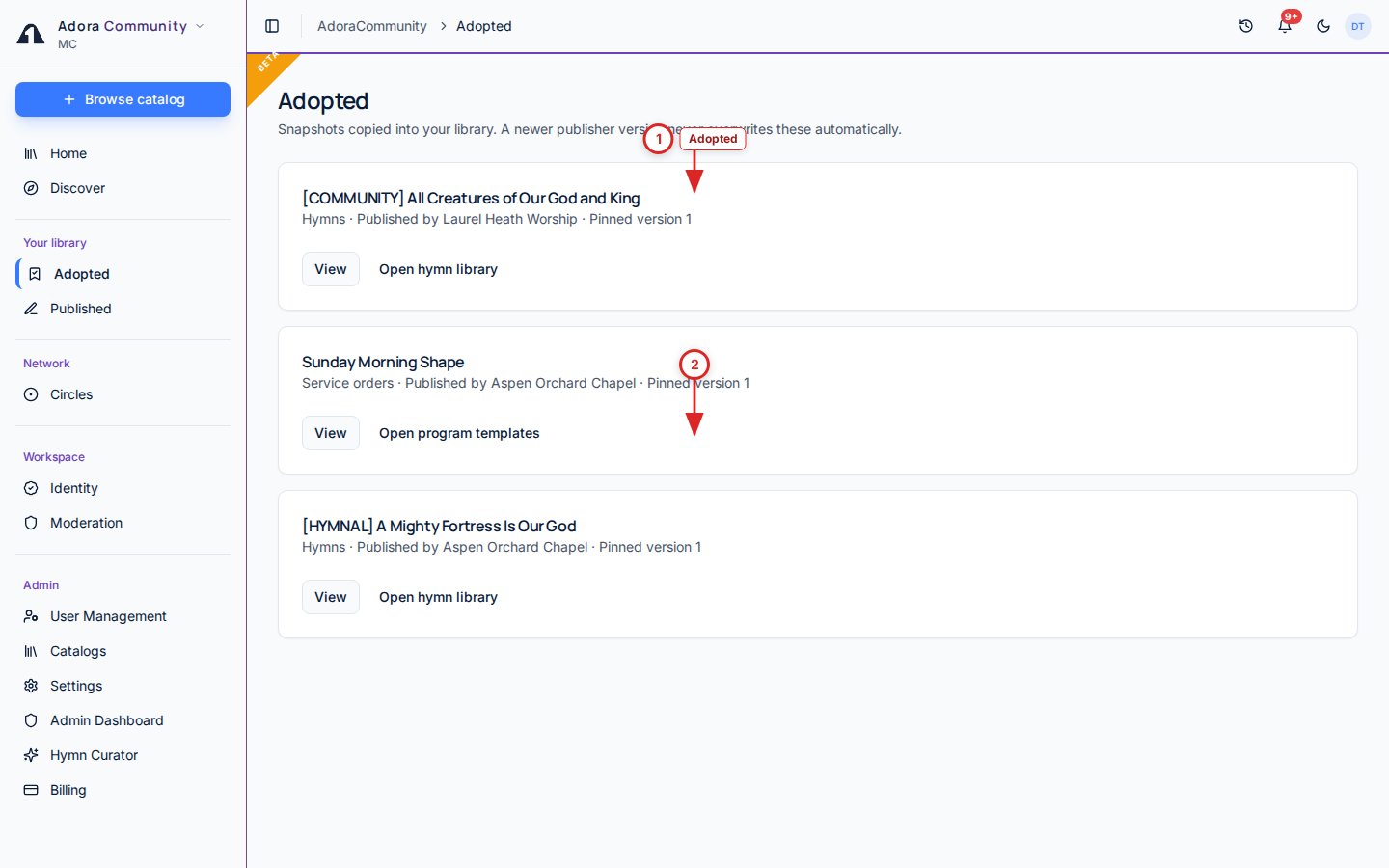
| 1 | **Adopted** | Filter and scan copies already in your library |
| 2 | Listing | Open the local copy, or see **Update available** when the publisher shared a new version |
### Use an adopted item
Hymns land in the hymn library. Playlists and slide decks land in those libraries. Service orders become templates you start from **Programs**.
If the publisher lists a new version, **Update available** appears here. Your copy is unchanged until you choose to adopt the new snapshot.
If the publisher delists the item, or a report takes it down, copies you already adopted stay in your library.
You cannot adopt your own church’s publication. You also cannot re-publish an adopted copy.
***
## Related
Browse and adopt listings.
Items your church listed in the catalog.
| # | Control | What it does |
| - | ----------- | ---------------------------------------------------------------------------------------- |
| 1 | **Adopted** | Filter and scan copies already in your library |
| 2 | Listing | Open the local copy, or see **Update available** when the publisher shared a new version |
### Use an adopted item
Hymns land in the hymn library. Playlists and slide decks land in those libraries. Service orders become templates you start from **Programs**.
If the publisher lists a new version, **Update available** appears here. Your copy is unchanged until you choose to adopt the new snapshot.
If the publisher delists the item, or a report takes it down, copies you already adopted stay in your library.
You cannot adopt your own church’s publication. You also cannot re-publish an adopted copy.
***
## Related
Browse and adopt listings.
Items your church listed in the catalog.