> ## Documentation Index
> Fetch the complete documentation index at: https://docs.adoraone.com/llms.txt
> Use this file to discover all available pages before exploring further.
# Published
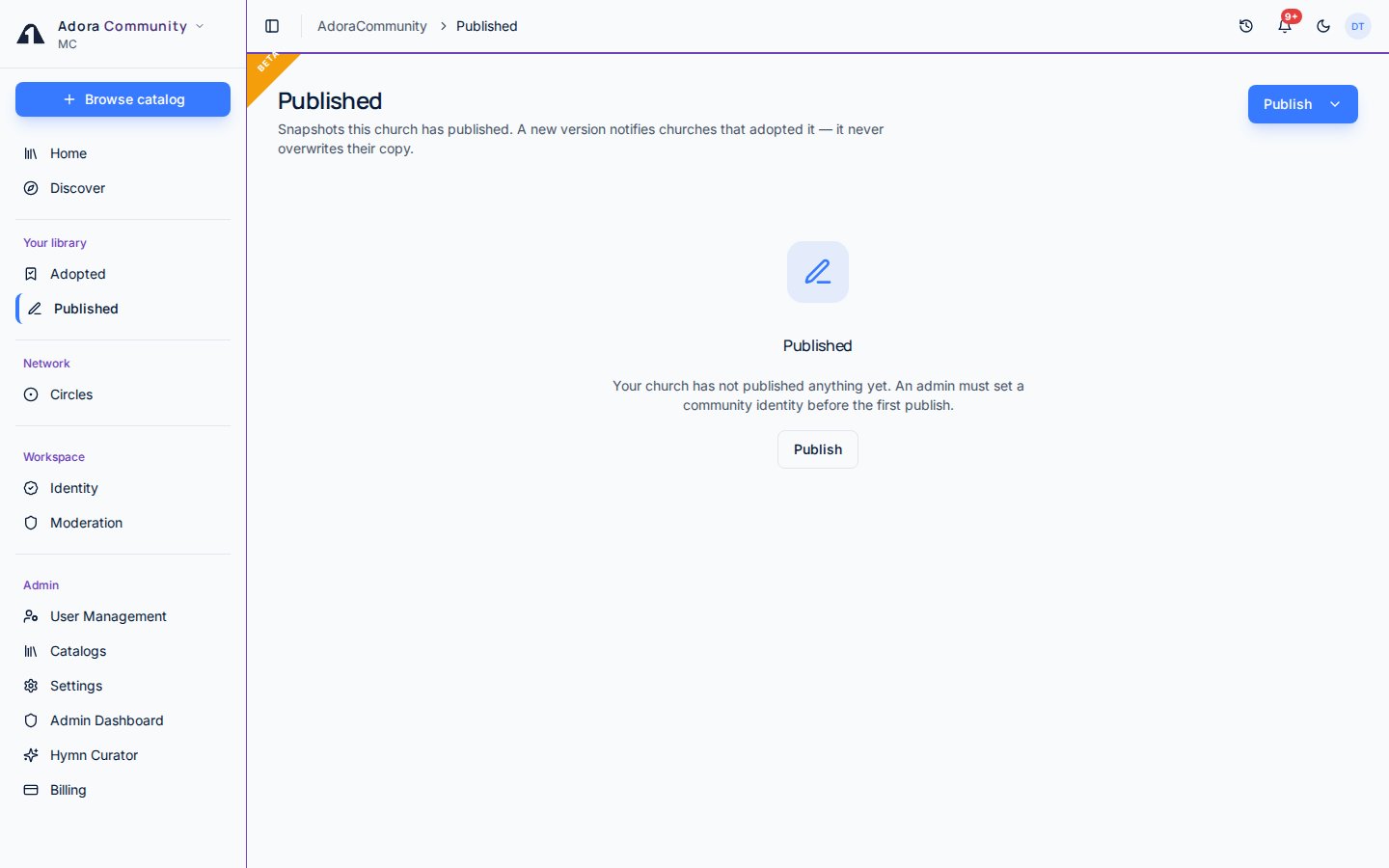
> Share a hymn, service order, playlist, or slide deck from your library into the AdoraCommunity catalog.
**Published** is the list of items your church has listed in AdoraCommunity. You publish a snapshot (not a live link) with a license class. Other churches can adopt that snapshot; later versions never overwrite their copy.
 ## Quick Start
1. A tenant admin must join **Identity** first.
2. Open **Community** → **Published**.
3. Click **Publish** and pick a kind: hymn, service order, playlist, or slide deck.
4. Choose who can discover it (**Circles**, **All members**, or **Private**), pick a license class, and tick the attestation.
5. **Delist** hides the listing from **Discover**. Copies other churches already adopted stay in their libraries.
***
## How-to Guide
## Quick Start
1. A tenant admin must join **Identity** first.
2. Open **Community** → **Published**.
3. Click **Publish** and pick a kind: hymn, service order, playlist, or slide deck.
4. Choose who can discover it (**Circles**, **All members**, or **Private**), pick a license class, and tick the attestation.
5. **Delist** hides the listing from **Discover**. Copies other churches already adopted stay in their libraries.
***
## How-to Guide
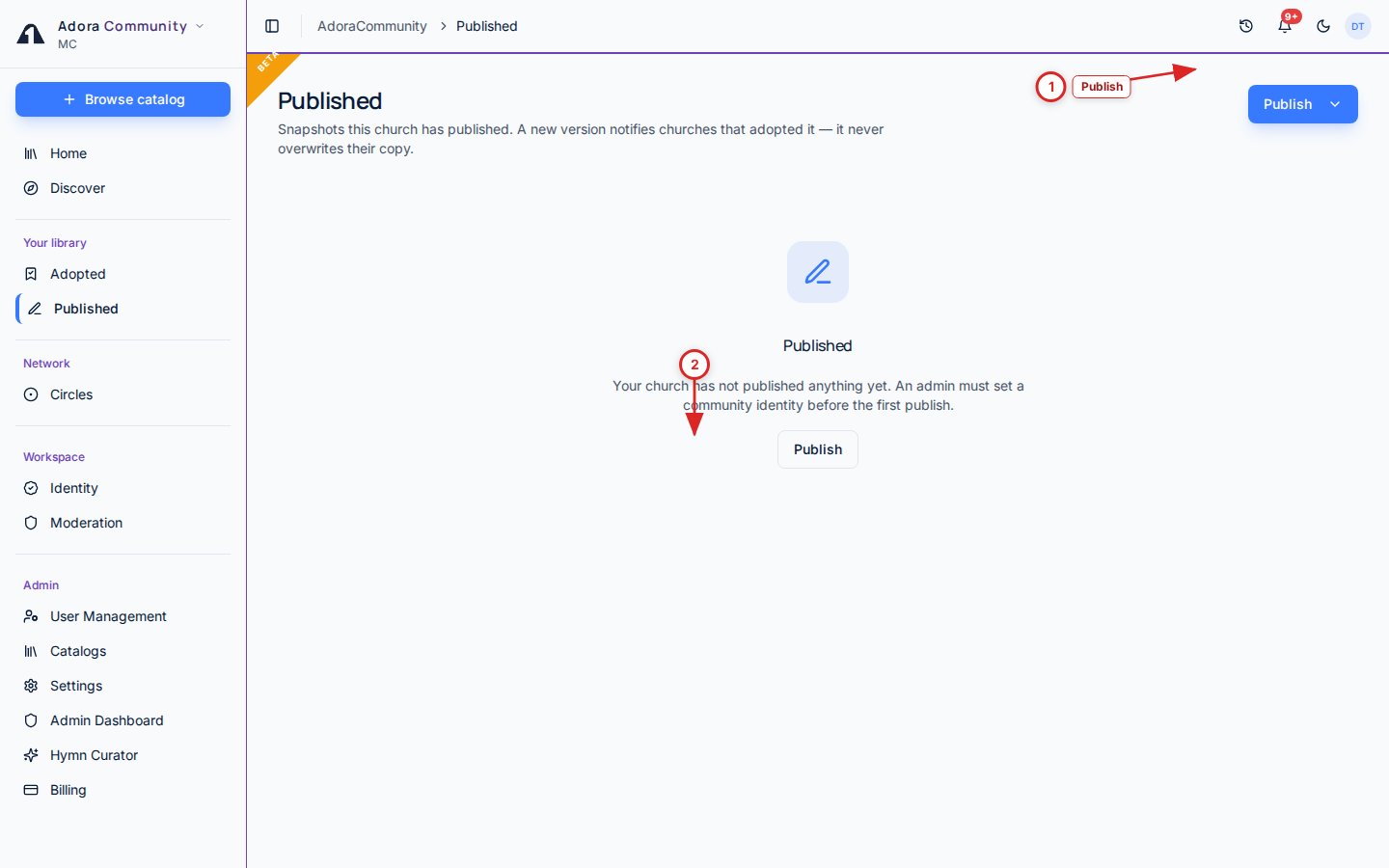 | # | Control | What it does |
| - | ----------- | ------------------------------------------------------------- |
| 1 | **Publish** | Share a local hymn, service order, playlist, or slide deck |
| 2 | Listing | License class, reach, and adopt count — **Delist** to hide it |
### Publish a snapshot
**Publish** opens a split menu. Hymns come from **My Hymns**. Service orders come from saved templates. Playlists and slide decks come from those libraries. You cannot publish an item you adopted from someone else.
**Circles** keeps the listing inside networks you belong to (the default when you have one). **All members** lists it in the whole catalog. **Private** stays in your church only. Pick a license class (public domain, CCLI, original work, or permission granted) and tick the attestation.
Service-order song slots keep titles and CCLI numbers — team and song IDs are removed. Playlists share titles and CCLI, not song UUIDs. Slide decks drop media URLs. Republishing creates a **new version**.
Coordinator **Hymns → Community** and **Share to Community** now open AdoraCommunity. Use this **Published** page as the home for new listings.
***
## Related
Required before anyone in the church can publish.
Where other churches find what you listed.
Limit reach to a trusted network.
Snapshots you copied from other churches.
| # | Control | What it does |
| - | ----------- | ------------------------------------------------------------- |
| 1 | **Publish** | Share a local hymn, service order, playlist, or slide deck |
| 2 | Listing | License class, reach, and adopt count — **Delist** to hide it |
### Publish a snapshot
**Publish** opens a split menu. Hymns come from **My Hymns**. Service orders come from saved templates. Playlists and slide decks come from those libraries. You cannot publish an item you adopted from someone else.
**Circles** keeps the listing inside networks you belong to (the default when you have one). **All members** lists it in the whole catalog. **Private** stays in your church only. Pick a license class (public domain, CCLI, original work, or permission granted) and tick the attestation.
Service-order song slots keep titles and CCLI numbers — team and song IDs are removed. Playlists share titles and CCLI, not song UUIDs. Slide decks drop media URLs. Republishing creates a **new version**.
Coordinator **Hymns → Community** and **Share to Community** now open AdoraCommunity. Use this **Published** page as the home for new listings.
***
## Related
Required before anyone in the church can publish.
Where other churches find what you listed.
Limit reach to a trusted network.
Snapshots you copied from other churches.