> ## Documentation Index
> Fetch the complete documentation index at: https://docs.adoraone.com/llms.txt
> Use this file to discover all available pages before exploring further.
# Agenda
> Counselor week and day view — sessions, availability slots, and schedule overrides.
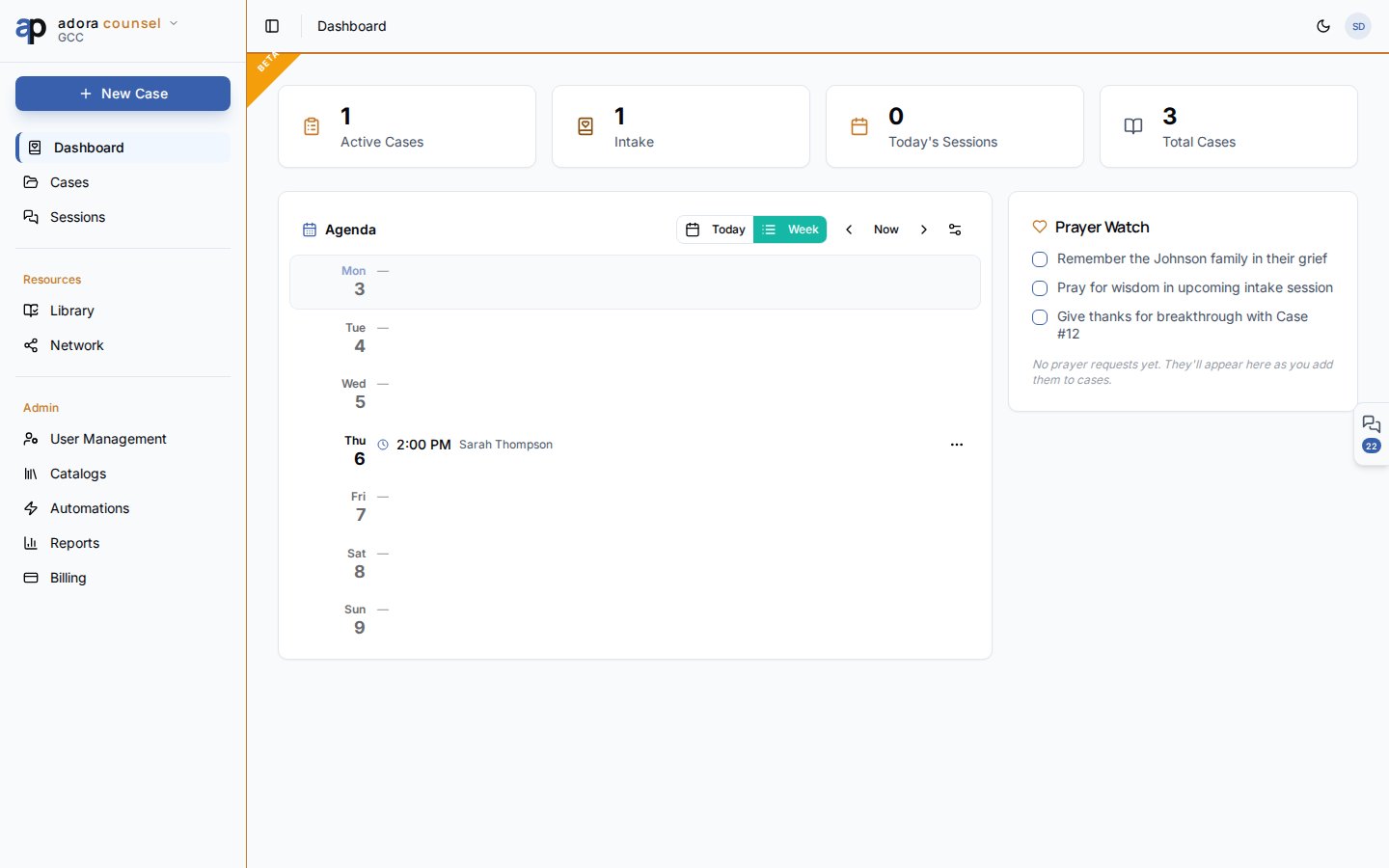
The **Agenda** on the AdoraCounsel dashboard shows your counseling schedule — toggle between **Today** and **Week**, see availability windows, and open sessions with one click.
 ## Quick Start
1. Open **Counsel** (dashboard).
2. Find the **Agenda** card (left column below stat cards).
3. Switch **Today** / **Week** to change the horizon.
4. Use **◀ Now ▶** to navigate weeks or days.
5. Click a session row to open the **Session desk**.
***
## How-to Guide
### Week view
Seven day rows show:
| Indicator | Meaning |
| --------------------- | ----------------------------------------------- |
| **Green left border** | Recurring availability slot configured |
| **Orange border** | One-off override — available that day |
| **Red border** | Override — unavailable (blocked) |
| **Session chips** | Scheduled meetings with time and counselee name |
Status badges on sessions: Scheduled, In Progress, Completed, Cancelled, No Show.
### Today view
Focuses on a single day — useful on meeting mornings. Shows sessions chronologically plus that day's availability and any override.
### Availability settings
Click the availability control in the agenda header to open **Availability Settings**:
* Define weekly recurring slots (day, start, end)
* Stored on your **counselor profile**
* **Day overrides** block vacations or add extra hours via the day popover
Configure default availability so the agenda shows open windows.
Create sessions on cases — they appear on the matching day.
Mark specific days unavailable before holidays or travel.
The agenda lives on `/counsel` (dashboard) — there is no separate `/counsel/agenda` route.
***
## Related
Open the session desk from any agenda row.
Full dashboard context and stat cards.
Schedule new sessions from a case.
## Quick Start
1. Open **Counsel** (dashboard).
2. Find the **Agenda** card (left column below stat cards).
3. Switch **Today** / **Week** to change the horizon.
4. Use **◀ Now ▶** to navigate weeks or days.
5. Click a session row to open the **Session desk**.
***
## How-to Guide
### Week view
Seven day rows show:
| Indicator | Meaning |
| --------------------- | ----------------------------------------------- |
| **Green left border** | Recurring availability slot configured |
| **Orange border** | One-off override — available that day |
| **Red border** | Override — unavailable (blocked) |
| **Session chips** | Scheduled meetings with time and counselee name |
Status badges on sessions: Scheduled, In Progress, Completed, Cancelled, No Show.
### Today view
Focuses on a single day — useful on meeting mornings. Shows sessions chronologically plus that day's availability and any override.
### Availability settings
Click the availability control in the agenda header to open **Availability Settings**:
* Define weekly recurring slots (day, start, end)
* Stored on your **counselor profile**
* **Day overrides** block vacations or add extra hours via the day popover
Configure default availability so the agenda shows open windows.
Create sessions on cases — they appear on the matching day.
Mark specific days unavailable before holidays or travel.
The agenda lives on `/counsel` (dashboard) — there is no separate `/counsel/agenda` route.
***
## Related
Open the session desk from any agenda row.
Full dashboard context and stat cards.
Schedule new sessions from a case.