> ## Documentation Index
> Fetch the complete documentation index at: https://docs.adoraone.com/llms.txt
> Use this file to discover all available pages before exploring further.
# Intake
> Public eight-step counseling intake form with draft autosave and PDF attachment.
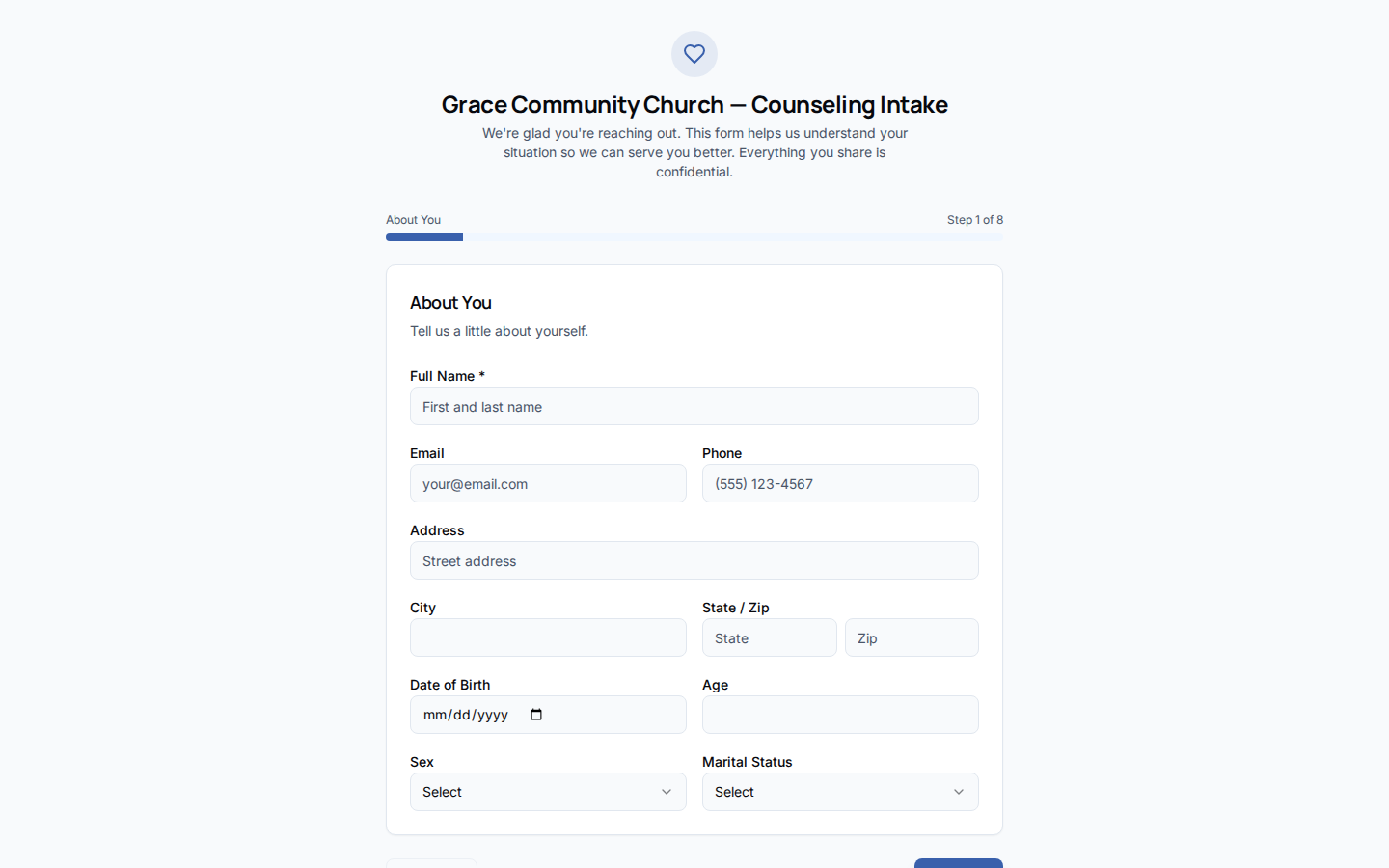
The **Intake** form lets prospective counselees share their story before the first meeting — an eight-step wizard collected via a public link, reviewed by staff under **Cases → Submissions**.
 ## Quick Start
1. Set your church **short name** slug (same as visitor registration).
2. Share the public URL: `/counsel/intake/{church-short-name}`.
3. Counselees complete eight steps at their own pace (draft autosaves in browser).
4. On submit, the response lands in **Cases → Submissions**.
5. Approve to create a **Case** and **Counselee** record.
***
## How-to Guide
### Public URL
```
https://your-church.adoraplan.com/counsel/intake/{church-short-name}
```
The slug resolves via your church **short name** (Organization settings). No login is required — the form is intentionally public.
### Eight steps
| Step | Topics |
| ----------------- | -------------------------------------------- |
| 1. **About** | Name, email, phone, address |
| 2. **Family** | Marital status, children, spouse willingness |
| 3. **Background** | Education, employment, upbringing |
| 4. **Health** | Physical/mental health history |
| 5. **Spiritual** | Faith background, church involvement |
| 6. **Story** | Self-descriptors, personal narrative |
| 7. **Reason** | Why counseling is sought now |
| 8. **Attachment** | Optional PDF upload |
Progress is saved to `localStorage` per slug so applicants can return later.
### Staff review
`counsel-intake-submit` edge function stores the payload and optional PDF in private storage.
Open **Cases → Submissions**, read the full response.
Approval creates case + counselee; rejection archives with reason.
Intake submissions can match existing **Members** by email when approving — reducing duplicate person records.
***
## Related
Submissions tab and case creation workflow.
Dashboard and counselor setup.
Similar public slug pattern for the member portal.
## Quick Start
1. Set your church **short name** slug (same as visitor registration).
2. Share the public URL: `/counsel/intake/{church-short-name}`.
3. Counselees complete eight steps at their own pace (draft autosaves in browser).
4. On submit, the response lands in **Cases → Submissions**.
5. Approve to create a **Case** and **Counselee** record.
***
## How-to Guide
### Public URL
```
https://your-church.adoraplan.com/counsel/intake/{church-short-name}
```
The slug resolves via your church **short name** (Organization settings). No login is required — the form is intentionally public.
### Eight steps
| Step | Topics |
| ----------------- | -------------------------------------------- |
| 1. **About** | Name, email, phone, address |
| 2. **Family** | Marital status, children, spouse willingness |
| 3. **Background** | Education, employment, upbringing |
| 4. **Health** | Physical/mental health history |
| 5. **Spiritual** | Faith background, church involvement |
| 6. **Story** | Self-descriptors, personal narrative |
| 7. **Reason** | Why counseling is sought now |
| 8. **Attachment** | Optional PDF upload |
Progress is saved to `localStorage` per slug so applicants can return later.
### Staff review
`counsel-intake-submit` edge function stores the payload and optional PDF in private storage.
Open **Cases → Submissions**, read the full response.
Approval creates case + counselee; rejection archives with reason.
Intake submissions can match existing **Members** by email when approving — reducing duplicate person records.
***
## Related
Submissions tab and case creation workflow.
Dashboard and counselor setup.
Similar public slug pattern for the member portal.