> ## Documentation Index
> Fetch the complete documentation index at: https://docs.adoraone.com/llms.txt
> Use this file to discover all available pages before exploring further.
# Resource Library
> Curate counseling resources — articles, worksheets, books, videos, and scripture maps.
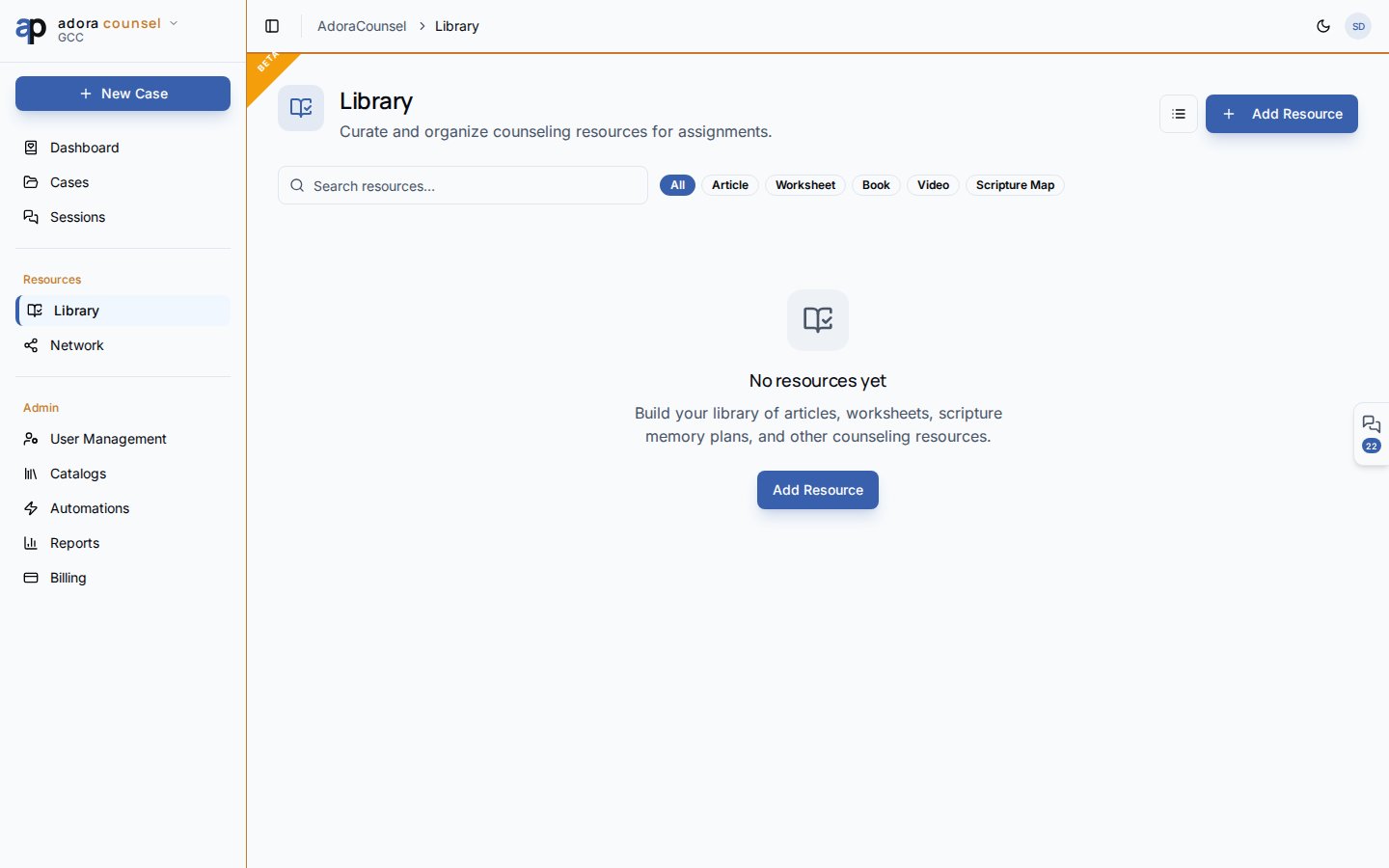
The **Resource Library** is your personal and church counseling bookshelf — add articles, worksheets, scripture maps, and videos, then share selected items to the counselor network (**Commonplace**).
 ## Quick Start
1. Open **Counsel → Library**.
2. Click **Add Resource** to catalog a new item.
3. Filter by type: Article, Worksheet, Book, Video, Scripture map.
4. Search by title, author, topic, or passage reference.
5. Open a card for details, or **Share** to the counselor network.
***
## How-to Guide
### Resource types
| Type | Typical content |
| ----------------- | ------------------------------------------------ |
| **Article** | Blog posts, PDF articles, external links |
| **Worksheet** | Homework handouts for counselees |
| **Book** | Recommended reading with author metadata |
| **Video** | Linked teaching or testimony clips |
| **Scripture map** | Themed passage collections for counseling topics |
### Add a resource
Enter title, type, and optional author, description, URL, topic, and passage reference.
Add tags for faster search; set estimated read time when helpful.
Reference resources from the session desk or assign as homework blocks.
### Share to Commonplace
From a resource card, **Share** publishes to `/counsel/commonplace` — the counselor network feed where peers can save items to their own library. Choose organization-only or public visibility.
### Grid vs. list
Toggle **Grid** / **List** in the header for browsing preference. Type filter chips narrow results without losing search.
Resources are scoped to your tenant and counselor profile. Deleting a resource removes it from your library but may leave network posts that referenced it — review Commonplace first.
***
## Related
Attach homework and scripture during meetings.
Module navigation and counselor setup.
## Quick Start
1. Open **Counsel → Library**.
2. Click **Add Resource** to catalog a new item.
3. Filter by type: Article, Worksheet, Book, Video, Scripture map.
4. Search by title, author, topic, or passage reference.
5. Open a card for details, or **Share** to the counselor network.
***
## How-to Guide
### Resource types
| Type | Typical content |
| ----------------- | ------------------------------------------------ |
| **Article** | Blog posts, PDF articles, external links |
| **Worksheet** | Homework handouts for counselees |
| **Book** | Recommended reading with author metadata |
| **Video** | Linked teaching or testimony clips |
| **Scripture map** | Themed passage collections for counseling topics |
### Add a resource
Enter title, type, and optional author, description, URL, topic, and passage reference.
Add tags for faster search; set estimated read time when helpful.
Reference resources from the session desk or assign as homework blocks.
### Share to Commonplace
From a resource card, **Share** publishes to `/counsel/commonplace` — the counselor network feed where peers can save items to their own library. Choose organization-only or public visibility.
### Grid vs. list
Toggle **Grid** / **List** in the header for browsing preference. Type filter chips narrow results without losing search.
Resources are scoped to your tenant and counselor profile. Deleting a resource removes it from your library but may leave network posts that referenced it — review Commonplace first.
***
## Related
Attach homework and scripture during meetings.
Module navigation and counselor setup.