> ## Documentation Index
> Fetch the complete documentation index at: https://docs.adoraone.com/llms.txt
> Use this file to discover all available pages before exploring further.
# Hymns & Songs
> Browse, import, and manage your church hymn library for worship planning and presentation.
The **Hymn Library** stores every song your church uses in **Programs** and **Presentation**. Add originals, import files, or copy from the master catalog and community.
 ## Quick Start
1. Open **Hymns** in the sidebar.
2. Stay on the **My Hymns** tab.
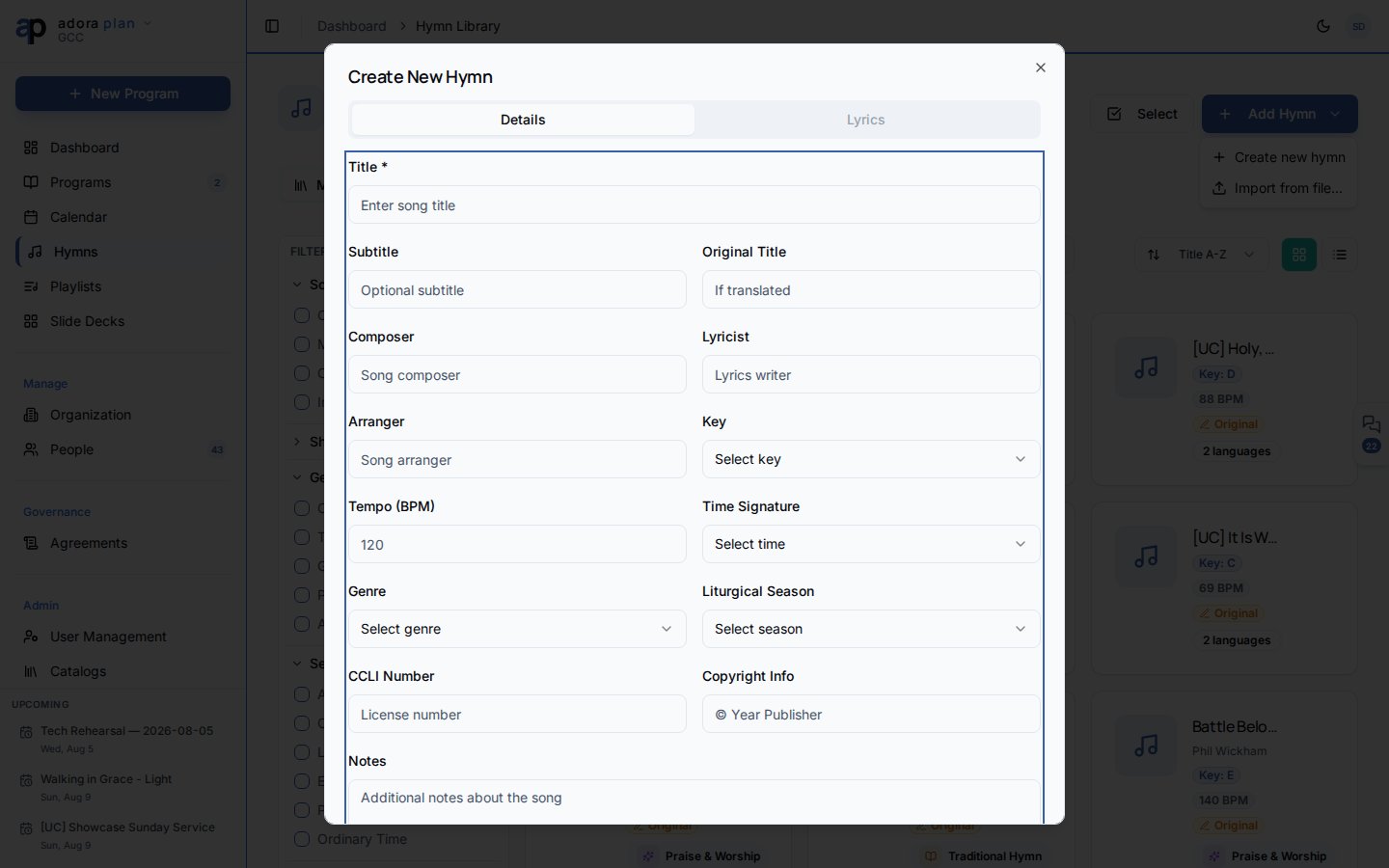
3. Click **Add Hymn** → **Create new hymn**.
4. Enter title, lyrics, and optional key/BPM metadata.
5. Save — the hymn is available in **Programs** via **Add Hymn/Song**.
***
## How-to Guide
### Create a hymn manually
Click **Add Hymn** → **Create new hymn**.
Add **Title**, lyrics, and optional **Key**, **BPM**, genre, and season tags.
Save the hymn. It appears on **My Hymns** immediately.
### Import from a file
Click **Add Hymn** → **Import from file…**, or drop files onto the page.
`.pro6` (ProPresenter 6), `.pro` (ProPresenter 7 XML), `.pptx` (PowerPoint), `.txt`
Follow the import wizard to map lyrics and confirm each hymn.
### Browse Master Catalog and Community
| Tab | Purpose |
| ------------------ | ---------------------------------------------------------------------------------- |
| **My Hymns** | Your church library |
| **Master Catalog** | Curated public-domain and licensed catalog — click the heart to **Add to library** |
| **Community** | Hymns shared by other churches — moderated before listing |
### View and edit a hymn
Click a hymn card to open its detail page.
* **Lyrics** — read or edit multi-language lyrics.
* **Audio** — upload audio and sync lyrics for karaoke mode.
* **Info** — composer, copyright, CCLI, and tags.
Header actions: **Edit**, **Present**, **Karaoke** (when synced audio exists).
Card menu shortcuts: **Quick Present**, **Duplicate**, **Share to Community**, **Delete**.
### Filter and sort
Use **Filters** for **Source**, **Genre**, **Season**, **Key**, and **Shared** status.
Sort by **Title A–Z**, **Recently Added**, or **Composer A–Z**.
Use **Select** mode to choose multiple hymns, then **Present** or batch **Delete**. Your plan may limit the total number of songs on **Free** tiers.
***
## Related
Add hymns to a service with **Add Hymn/Song** in the Service Order.
Display lyrics fullscreen during worship.
Track hymn library size and rotation health.
Group hymns into reusable lists (documentation coming soon).
## Quick Start
1. Open **Hymns** in the sidebar.
2. Stay on the **My Hymns** tab.
3. Click **Add Hymn** → **Create new hymn**.
4. Enter title, lyrics, and optional key/BPM metadata.
5. Save — the hymn is available in **Programs** via **Add Hymn/Song**.
***
## How-to Guide
### Create a hymn manually
Click **Add Hymn** → **Create new hymn**.
Add **Title**, lyrics, and optional **Key**, **BPM**, genre, and season tags.
Save the hymn. It appears on **My Hymns** immediately.
### Import from a file
Click **Add Hymn** → **Import from file…**, or drop files onto the page.
`.pro6` (ProPresenter 6), `.pro` (ProPresenter 7 XML), `.pptx` (PowerPoint), `.txt`
Follow the import wizard to map lyrics and confirm each hymn.
### Browse Master Catalog and Community
| Tab | Purpose |
| ------------------ | ---------------------------------------------------------------------------------- |
| **My Hymns** | Your church library |
| **Master Catalog** | Curated public-domain and licensed catalog — click the heart to **Add to library** |
| **Community** | Hymns shared by other churches — moderated before listing |
### View and edit a hymn
Click a hymn card to open its detail page.
* **Lyrics** — read or edit multi-language lyrics.
* **Audio** — upload audio and sync lyrics for karaoke mode.
* **Info** — composer, copyright, CCLI, and tags.
Header actions: **Edit**, **Present**, **Karaoke** (when synced audio exists).
Card menu shortcuts: **Quick Present**, **Duplicate**, **Share to Community**, **Delete**.
### Filter and sort
Use **Filters** for **Source**, **Genre**, **Season**, **Key**, and **Shared** status.
Sort by **Title A–Z**, **Recently Added**, or **Composer A–Z**.
Use **Select** mode to choose multiple hymns, then **Present** or batch **Delete**. Your plan may limit the total number of songs on **Free** tiers.
***
## Related
Add hymns to a service with **Add Hymn/Song** in the Service Order.
Display lyrics fullscreen during worship.
Track hymn library size and rotation health.
Group hymns into reusable lists (documentation coming soon).