> ## Documentation Index
> Fetch the complete documentation index at: https://docs.adoraone.com/llms.txt
> Use this file to discover all available pages before exploring further.
# People & Team
> Manage collaborators, volunteers, invitations, and role qualifications.
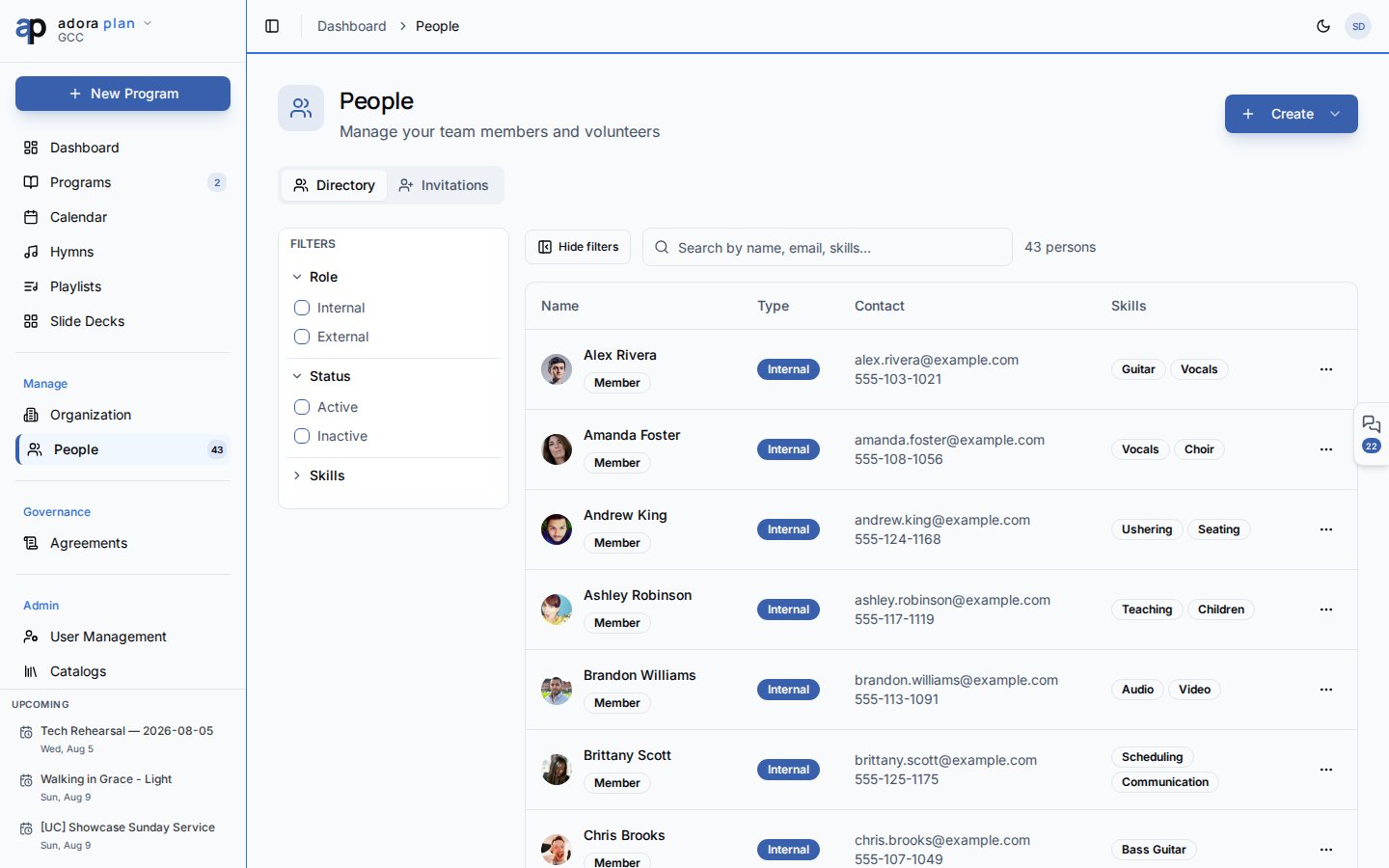
**People** is your team directory — staff, volunteers, and guests — with invitations, skills, and qualifications for **Roster** assignments.
 ## Quick Start
1. Open **People** in the sidebar.
2. Click **Create** → **Add Person**.
3. Enter name, email, type (**Internal** or **External**), and optional skills.
4. Save — the person appears in the **Directory** tab.
5. Open their profile to set **Qualifications** for roster roles.
***
## How-to Guide
### Add a person
## Quick Start
1. Open **People** in the sidebar.
2. Click **Create** → **Add Person**.
3. Enter name, email, type (**Internal** or **External**), and optional skills.
4. Save — the person appears in the **Directory** tab.
5. Open their profile to set **Qualifications** for roster roles.
***
## How-to Guide
### Add a person
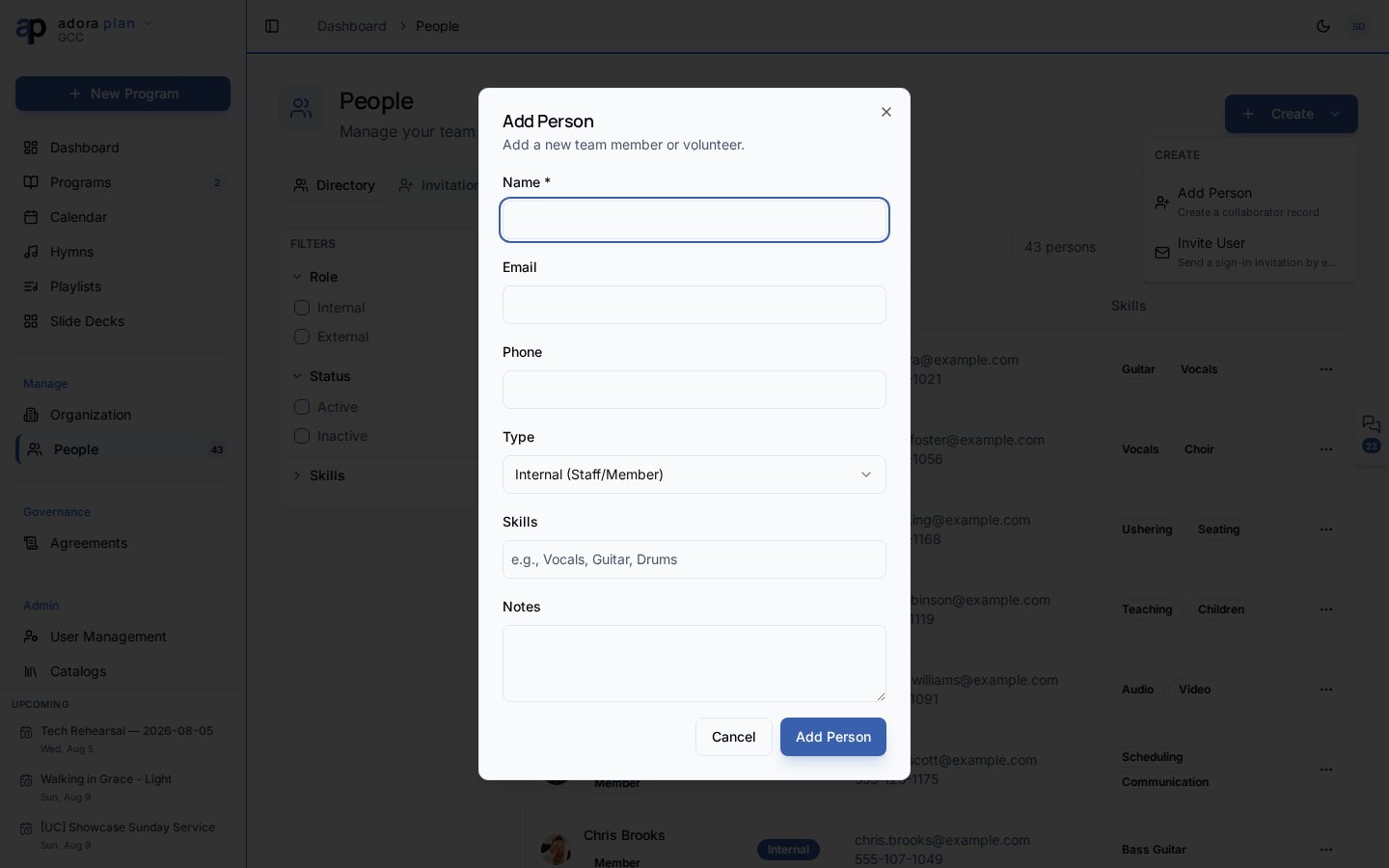 **Create** → **Add Person**.
* **Internal (Staff/Member)** — church staff or members with app access
* **External (Guest/Contractor)** — occasional helpers without full membership
Optional comma-friendly skills (e.g. Vocals, Guitar, Drums) for filtering.
The person appears in the directory. Click a row to open their profile.
### Directory tab
| Feature | Use |
| ------------ | ---------------------------------------------------------------- |
| **Search** | Name, email, or skills |
| **Filters** | Role type, **Active** / **Inactive**, skills |
| **Row menu** | View/Edit, email, schedule, **Manage Roles**, deactivate, delete |
### Invitations tab
Send platform sign-in invites:
1. Open the **Invitations** tab.
2. Click **Invite by Email** (or **Create** → **Invite User** for admins).
3. Choose a permission level: **Admin**, **Staff**, **Volunteer**, or **Member**.
4. The invitee receives email instructions to join your organization.
### Person profile
Click a directory row to open `/people/:id`.
| Tab | Contents |
| ------------------ | ---------------------------------------------------------- |
| **Profile** | Contact info, type, skills, notes |
| **Qualifications** | Which **Team Roles** this person can fill (Trainee → Lead) |
| **Pastoral** | Care notes when linked to AdoraCare |
The **Serving Summary** card shows qualified roles, teams, and upcoming assignments.
### Manage role qualifications
Row menu → **Manage Roles**, or the **Qualifications** tab on the profile.
**Add Qualification** → pick a role from **Team Roles** catalog.
**Trainee**, **Standard**, **Advanced**, or **Lead**.
Qualified people appear in roster assignment pickers for matching roles.
**View Member Profile** appears when a collaborator is linked to an AdoraCare **Member** record.
***
## Related
Assign qualified people to program slots.
Church and ministry structure.
Team notes on the program **People** tab.
Congregation member records (separate from collaborators).
**Create** → **Add Person**.
* **Internal (Staff/Member)** — church staff or members with app access
* **External (Guest/Contractor)** — occasional helpers without full membership
Optional comma-friendly skills (e.g. Vocals, Guitar, Drums) for filtering.
The person appears in the directory. Click a row to open their profile.
### Directory tab
| Feature | Use |
| ------------ | ---------------------------------------------------------------- |
| **Search** | Name, email, or skills |
| **Filters** | Role type, **Active** / **Inactive**, skills |
| **Row menu** | View/Edit, email, schedule, **Manage Roles**, deactivate, delete |
### Invitations tab
Send platform sign-in invites:
1. Open the **Invitations** tab.
2. Click **Invite by Email** (or **Create** → **Invite User** for admins).
3. Choose a permission level: **Admin**, **Staff**, **Volunteer**, or **Member**.
4. The invitee receives email instructions to join your organization.
### Person profile
Click a directory row to open `/people/:id`.
| Tab | Contents |
| ------------------ | ---------------------------------------------------------- |
| **Profile** | Contact info, type, skills, notes |
| **Qualifications** | Which **Team Roles** this person can fill (Trainee → Lead) |
| **Pastoral** | Care notes when linked to AdoraCare |
The **Serving Summary** card shows qualified roles, teams, and upcoming assignments.
### Manage role qualifications
Row menu → **Manage Roles**, or the **Qualifications** tab on the profile.
**Add Qualification** → pick a role from **Team Roles** catalog.
**Trainee**, **Standard**, **Advanced**, or **Lead**.
Qualified people appear in roster assignment pickers for matching roles.
**View Member Profile** appears when a collaborator is linked to an AdoraCare **Member** record.
***
## Related
Assign qualified people to program slots.
Church and ministry structure.
Team notes on the program **People** tab.
Congregation member records (separate from collaborators).