

Quick Start
- Open Counsel (dashboard).
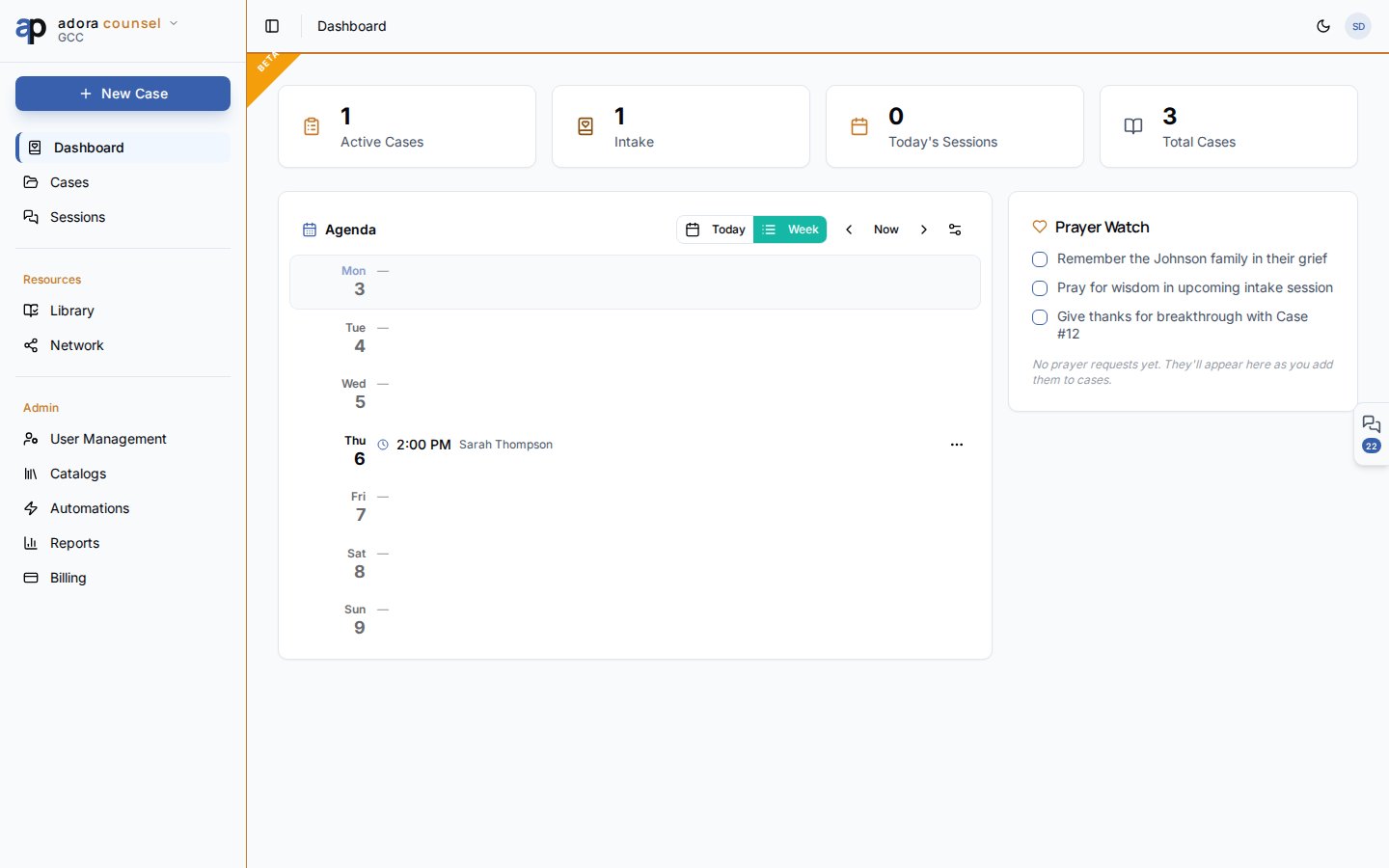
- Find the Agenda card (left column below stat cards).
- Switch Today / Week to change the horizon.
- Use ◀ Now ▶ to navigate weeks or days.
- Click a session row to open the Session desk.
How-to Guide
Week view
Seven day rows show:
Status badges on sessions: Scheduled, In Progress, Completed, Cancelled, No Show.
Today view
Focuses on a single day — useful on meeting mornings. Shows sessions chronologically plus that day’s availability and any override.Availability settings
Click the availability control in the agenda header to open Availability Settings:- Define weekly recurring slots (day, start, end)
- Stored on your counselor profile
- Day overrides block vacations or add extra hours via the day popover
1
Set weekly hours
Configure default availability so the agenda shows open windows.
2
Schedule sessions
Create sessions on cases — they appear on the matching day.
3
Adjust overrides
Mark specific days unavailable before holidays or travel.
Related
Sessions
Open the session desk from any agenda row.
AdoraCounsel Overview
Full dashboard context and stat cards.
Cases
Schedule new sessions from a case.