

Quick Start
- Sign in and open Dashboard in the sidebar.
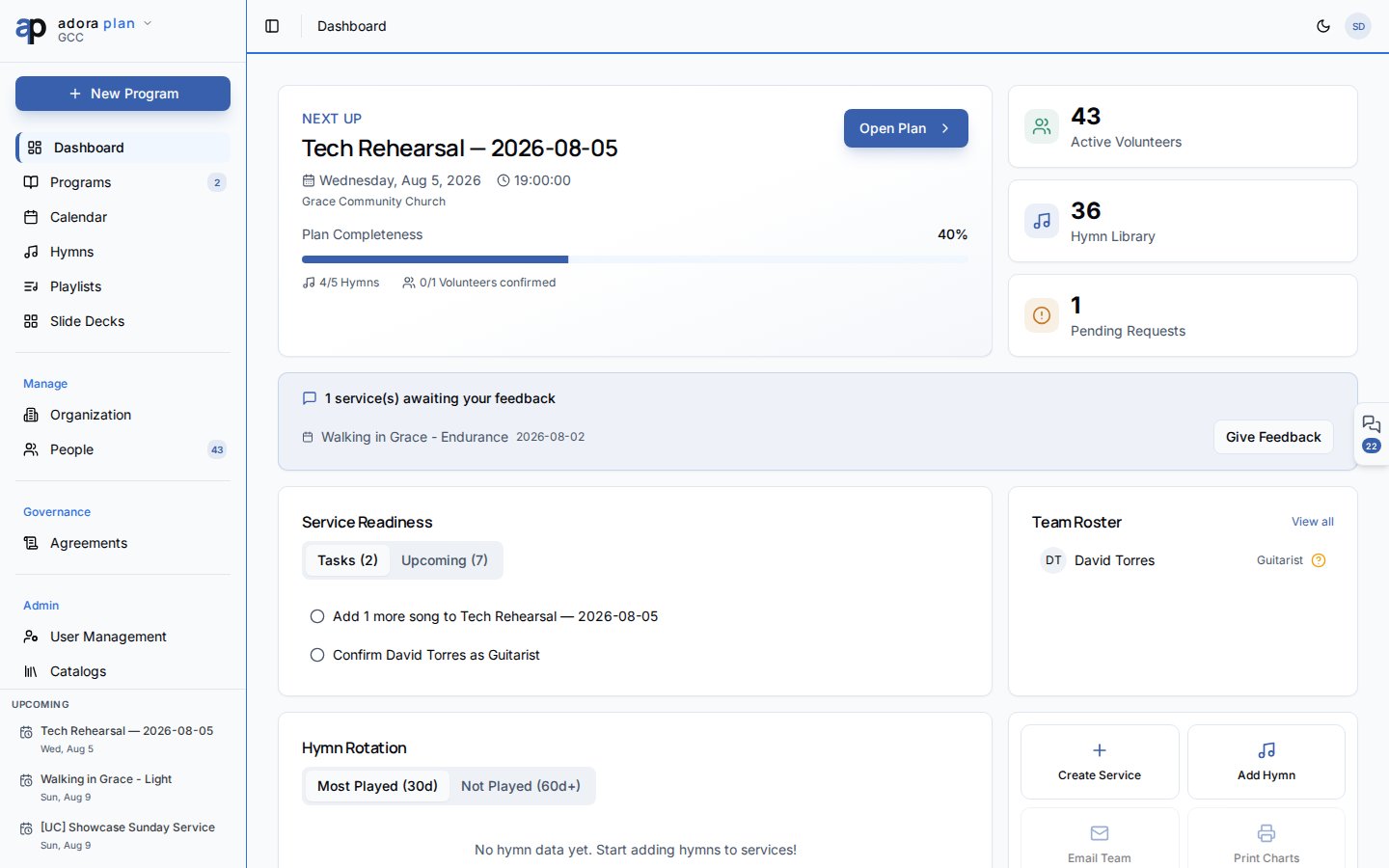
- Review Next Up — your nearest upcoming Program.
- Click Open Plan to edit the service order, or Create Service if nothing is scheduled.
- Check Service Readiness for open tasks and upcoming services.
- Use Quick Actions to jump to Create Service or Add Hymn.
How-to Guide
Understand the Next Up hero
The top card shows your next upcoming Program with date, service type, and planning progress.1
Review completeness
Plan Completeness shows hymns added and volunteers confirmed for that service.
2
Open the program
Click Open Plan to go to the Service Order editor for that program.
3
Create when empty
If you see No upcoming services, click Create Service to start the program wizard.
Use Service Readiness
The Service Readiness panel has two tabs:- Tasks — outstanding planning tasks linked to upcoming programs.
- Upcoming — services in the next four weeks.
Monitor hymn rotation
Hymn Rotation helps you avoid repeating the same songs too often.- Most Played (30d) — songs used frequently in the last month.
- Not Played (60d+) — songs that have not appeared recently (good candidates for upcoming services).
Quick Actions
Related
Programs
Build and publish your order of service.
Quick Start
A guided tour of the Dashboard and sidebar.
Hymns & Songs
Grow your song library before you plan.
Calendar
See programs and events on a unified calendar.