

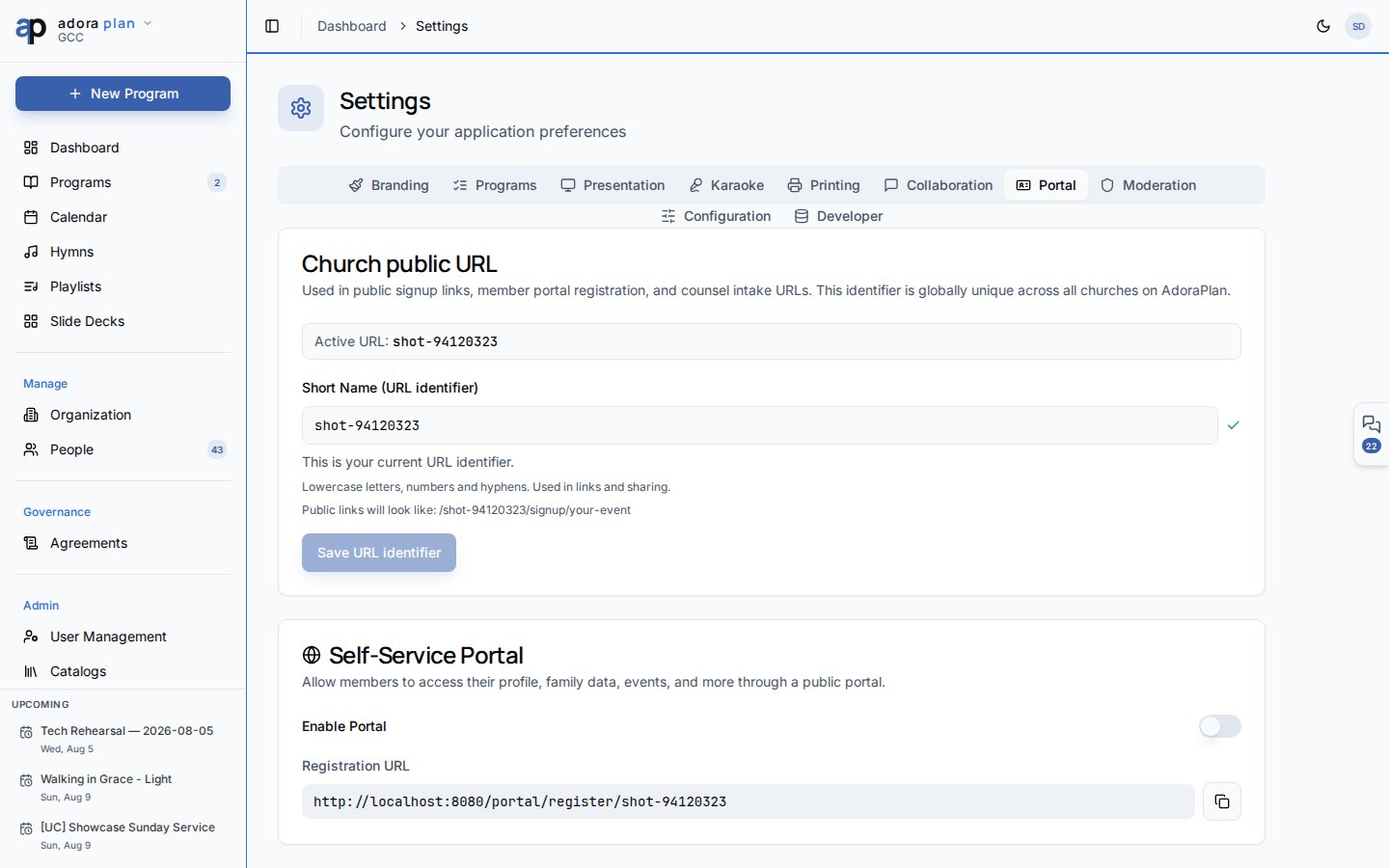
Quick Start
- Open Settings → Portal (admin or moderator role required).
- Turn on Enable member portal for your tenant.
- Toggle individual features: Family, Events, Serving, Prayer, Directory.
- Choose which fields appear in the member directory.
- Copy the Registration URL and share it securely with guests.
How-to Guide
Access tokens
There is no separate
/portal/security page — members manage only their own Profile visibility (show in directory).
Feature flags
Disable modules you are not ready to expose:- Family Management — household read-only view
- Event Registration — attendance sign-up
- Serving Schedule — roster visibility
- Prayer Requests — submission form
- Members Directory — opt-in directory + prayer wall
Directory privacy
Under Directory fields, choose what opted-in members may see about each other:- Phone, email, address, member-since date
Registration link safety
- The public URL includes only the church short name slug — not a secret.
- Email OTP verification prevents spam registrations.
- Admins must approve before a token is issued.
Related
Member Portal
End-user portal experience after login.
Visitor Registration
Public form that feeds approval workflow.
Settings
Other tenant configuration (branding, programs, etc.).